Example job · school electrical retrofit
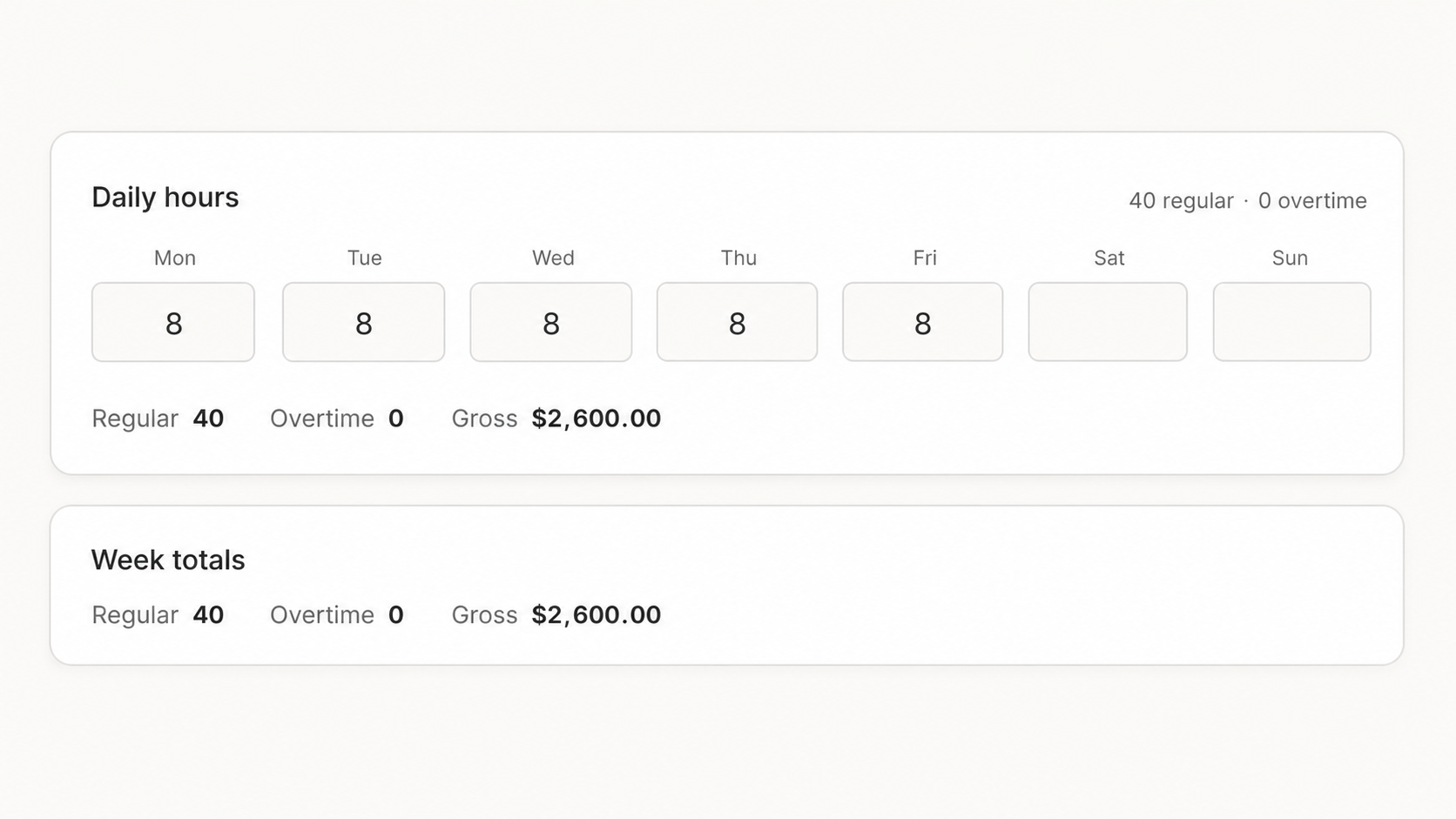
40 hours entered. Gross pay calculated.
Fill a standard Monday–Friday week, then adjust only the days that changed.
Built for small subcontractors on public works jobs. Enter or import your crew's hours, and PrevailComply checks rates, fringe benefits, and apprentice ratios, then creates your WH-347 or generates a California DIR-compatible XML file in one click. You review, download, and submit it yourself.
↳Works alongside QuickBooks, Gusto, and ADP. PrevailComply does not replace your payroll software.
A missed or incorrect certified payroll report can cost up to $10,000 per violation federally, $200 a day per worker in California, $100 a day per worker in New York, and personal liability for the owner in Illinois. Repeat violations can mean debarment from public works for up to five years.
Follow one weekly payroll through the actual PrevailComply workflow.
Fill a standard Monday–Friday week, then adjust only the days that changed.
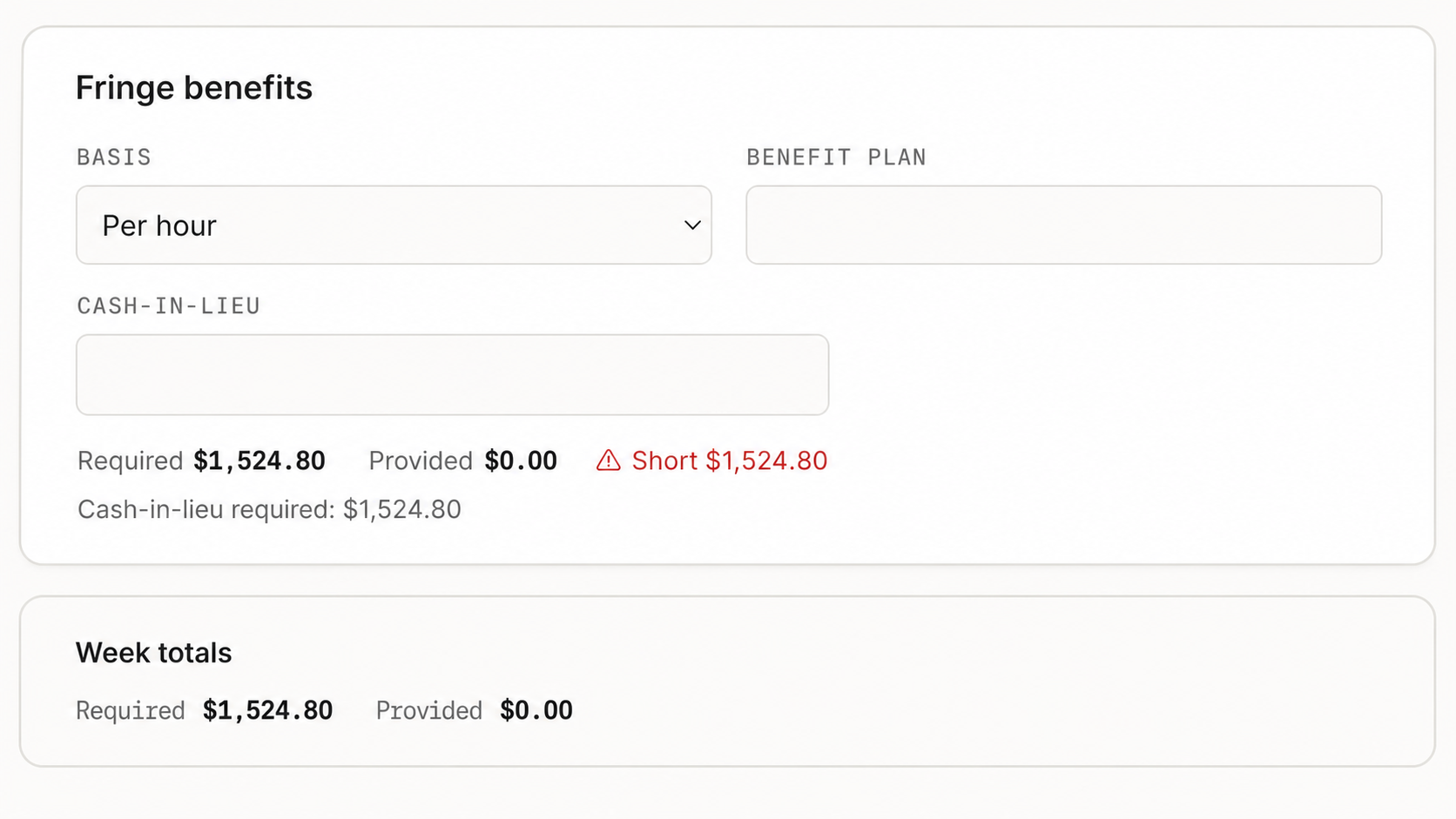
See the required fringe, what was provided, and the cash-in-lieu amount needed to close the gap.
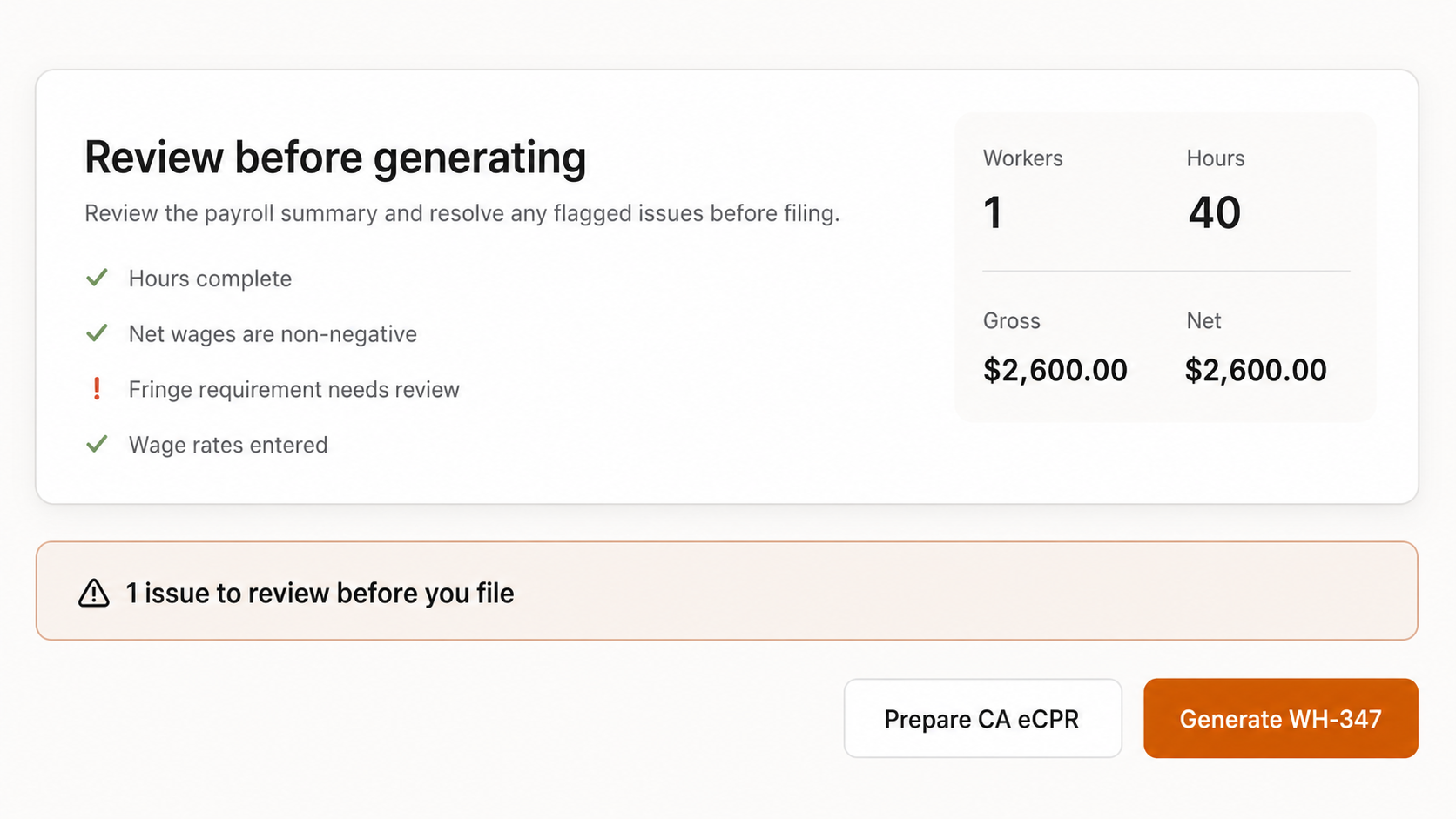
Download the DIR-compatible XML, then upload and submit it yourself. PrevailComply does not e-file it for you.
PrevailComply handles the certified-payroll step after your normal payroll work is done.
Add the project, choose the applicable wage determination, and save your crew and classifications.
Update hours, deductions, and benefit contributions for the employees who worked on the project.
Resolve flagged issues, then download the WH-347 PDF or generate the California XML in one click for separate submission.
PrevailComply generates export files; it does not directly e-file them. You download and submit the file through the required agency portal.
I already ran payroll. I just need the certified payroll report to be right.
// the exact handoff PrevailComply was built to handle
No. Keep using your existing payroll system for paychecks and tax calculations. PrevailComply handles the compliance-specific step after payroll: prevailing wage rates, fringe calculations, apprentice checks, and certified payroll reports.
Set up the job and crew once. Each week, enter the hours, deductions, and benefit contributions for the employees who worked on that project. PrevailComply uses those figures to prepare the report.
PrevailComply creates the federal WH-347 and supported state-specific exports. For California DIR eCPR, it generates a compatible XML file in one click. You download and submit that file separately—PrevailComply does not e-file it for you.
Create one federal certified payroll report without starting from a blank form.
Understand the weekly requirement, who files, and what the report certifies.
Learn how to generate the California DIR-compatible XML and submit it through the state portal.
Start this week's certified payroll or generate one federal WH-347 for free.
From $49/mo — federal WH-347 only · $89/mo adds state forms & e-filing